
Sansad Showdown controls for keyboard and touch
Keyboard and touch
| Action | Keyboard | Touch | Status |
|---|---|---|---|
| Move | A/D or ←/→ | Stick | Public panel + 1 video |
| Jump | W or ↑ | ↑ | Public panel + 1 video |
| Crouch | S or ↓ | ↓ | Public panel + 1 video |
| Block | Hold back | Hold back | Public panel + 1 video |
| Punch | J | PUNCH | Public panel + 1 video |
| Kick | K | KICK | Public panel + 1 video |
| Grab | I or J+K | GRAB | Public panel + 1 video |
| Super | L or Space | SUPER when SHAKTI is full | Public panel + 1 video |
| Pause | Esc | — | Public panel + 1 video |
| Music | M | — | Public panel + 1 video |
| Mute | N | — | Public panel + 1 video |
Specials and combos
Specials on the panel: forward then punch (→J), forward then kick (→K), and down kick (↓K) for the sweep. Touch writes those as →PUNCH, →KICK, and ↓KICK sweep.
Keyboard combos: J, J, J · J, J, K · J, K, K · K, K · ↓J, J · ↓J, K. Touch combos: P, P, P · P, P, K · P, K, K · K, K.
How to block in Sansad Showdown
Hold the back direction. A standing block covers high and mid attacks. A crouching block covers lows. You cannot block in the air. A block only starts from idle, walk, crouch, or while you are already in block stun. Each successful block also adds 3 to SHAKTI.
If the other fighter starts a grab, press GRAB during the startup. The game prints THROW BREAK. See how a match is structured if you are still on the select screen.
SHAKTI and combo scaling
- The super requires a full SHAKTI meter (100).
- Landing a hit adds about the hit’s damage × 0.9, plus 2.
- Getting hit adds about the damage × 0.6.
- Each extra hit in a combo multiplies damage by 0.88, and the multiplier stops falling at 0.5. The third hit of J, J, J is about 77% of its base.
Move numbers
Base damage below is before a fighter’s own multiplier. Tariff Taau (1.10) hits harder than Deedee (0.95) with the same button. MBAPU takes 0.8× damage. These rows are one reading of the public build on 4 Nov 2026.
| Move | Input | Damage | Height | Start / active / recovery | Knockdown |
|---|---|---|---|---|---|
| Jab | J | 5 | high | 5 / 3 / 10 | No |
| Cross | J, J | 6 | high | 6 / 3 / 12 | No |
| Kick | K | 9 | mid | 9 / 4 / 15 | No |
| Uppercut | after cross or low jab, J | 11 | mid | 9 / 4 / 20 | Yes |
| Roundhouse | K, K | 13 | high | 11 / 5 / 22 | Yes |
| Finisher | J, J, K | 12 | mid | 10 / 4 / 20 | Yes |
| Low jab | crouch + J | 4 | low | 6 / 3 / 11 | No |
| Sweep | crouch + K or ↓K | 8 | low | 11 / 4 / 20 | Yes |
| Special 1 | → then J | 13 | mid | 13 / 4 / 19 | Yes |
| Special 2 | → then K | 14 | mid | 15 / 5 / 20 | Yes |
| Air punch | J in the air | 6 | mid | 4 / 10 / 0 | No |
| Air kick | K in the air | 8 | mid | 7 / 12 / 0 | No |
| Grab | I or J+K | throw | high | 6 / 3 / 24 | — |
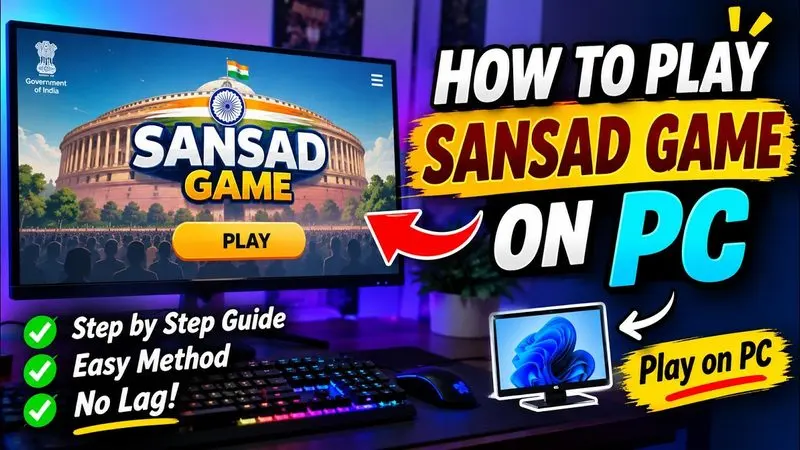
VANSH LIVE yt titles this clip as a PC controls guide. Use it to see the on-screen buttons; the table above is the text version of the public panel.
VANSH LIVE yt · 2026-11-02 · 313 views when checked on 4 Nov 2026.
Phone setup
The start screen asks you to rotate the phone and swipe up for full screen. A home-screen shortcut is described on the download page. The shortcut still needs a network connection.
Questions
What are the controls for fightkaro.com?
They are the Sansad Showdown controls: A/D move, W jump, S crouch, hold back to block, J punch, K kick, I grab, L or Space for the super.
How do I block?
Hold back. Stand to block high and mid, crouch to block low. You cannot block while airborne.
When can I use the super?
When the SHAKTI meter is full. The touch button is labeled SUPER.
Sources
Checked 2026-11-04. Links below are the public pages I used.
- Official game page (fightkaro.com)
- Public game script, checked 4 Nov 2026
- VANSH LIVE yt controls video
Limitation: some claims rely on a single publisher or a dated public build; each table labels that scope.